


Signs worth acting on
| What you notice | It could be | What to check |
|---|---|---|
| A message about a login or verification code you did not request | Someone trying your credentials | Whether you can still sign in; do not share the code |
| A bet, round or slip you do not remember | Another person using the account, or a forgotten session on a shared device | The bet or game history: time, device context, amount |
| A deposit or withdrawal you did not make | Unauthorised use or a mistaken entry | The cashier history and your bank or wallet statement |
| Changed contact details or password | Account takeover | Whether recovery messages still reach you |
| A balance different from your last session | Settled bets, a recalculation or unauthorised play | Bet history first, then the cashier |
| A message asking for your password, PIN or code | Phishing | Do not reply; open the official site yourself |
Not every surprise is misuse. A slip that settled overnight or a bet recalculated later can also change a balance. But when you cannot explain an entry from your own memory and the histories, act as if it were misuse until support confirms otherwise.
Why speed matters
Under the account terms, activity confirmed with the correct login details and password can be treated as legitimate, and the operator may not be responsible when credentials have been disclosed to another person. PLAYDASH material therefore says a suspected compromise should be reported quickly. The longer an unfamiliar session runs, the more of its activity may stand as yours.
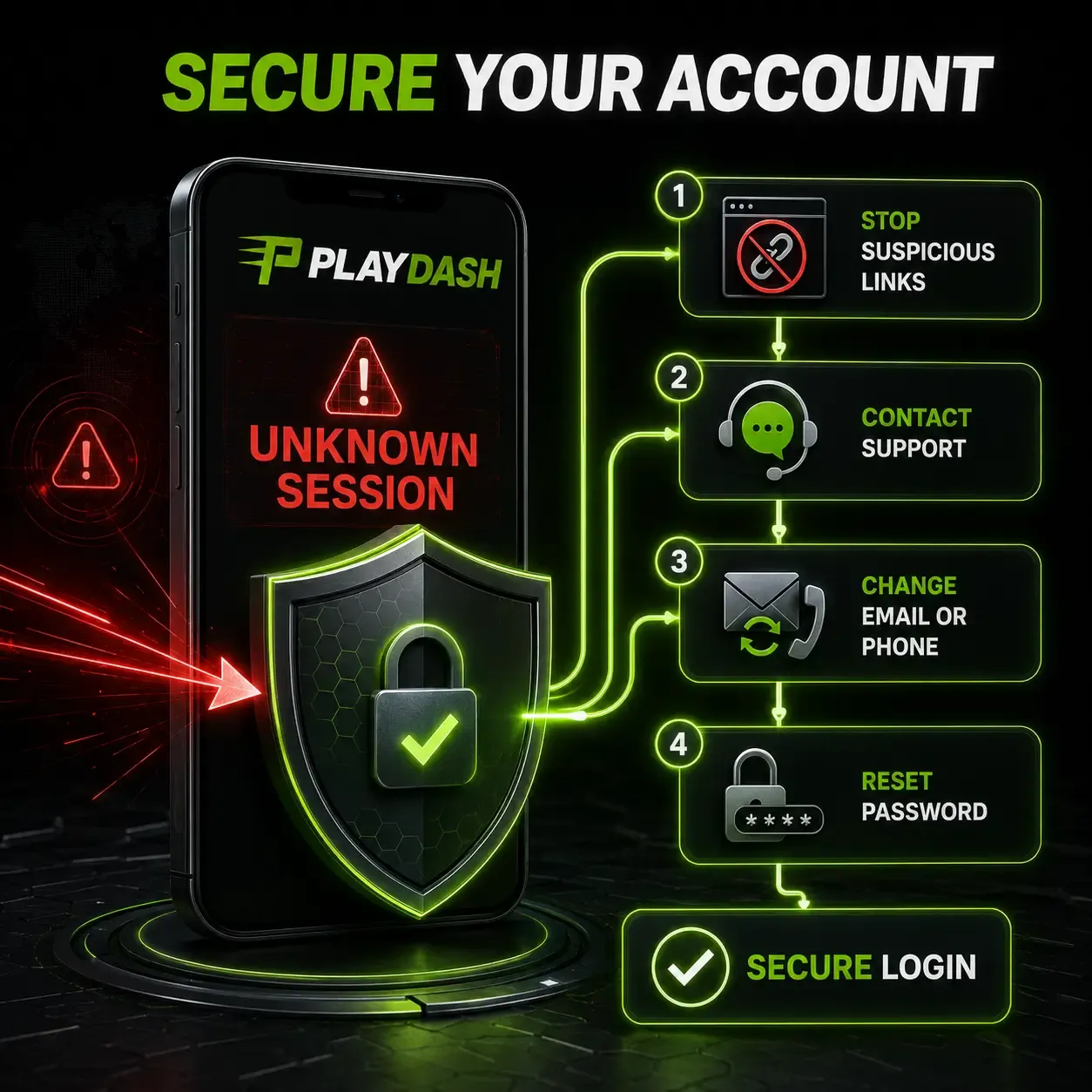
The first steps, in order
- Stop using any suspicious link or page, including the one that may have captured your details.
- Contact support immediately through live chat or the other channels listed inside the official PLAYDASH site, opened by typing the address yourself.
- Report the unfamiliar sessions or transactions, with their times and references.
- Ask for help changing the email or phone number linked to the account if either may be compromised.
- Reset the password before your next login, choosing one that is unique to PLAYDASH.
- Sign in again only after the account is secured, and do not create a replacement account unless support specifically instructs you to.
Changing the registered contact
The registered phone number or email is the route for password recovery, so an attacker who controls it controls recovery too. If you suspect that either has been changed or is no longer yours, ask support to change the contact linked to the account; support can assist with changes to the contact information entered at sign-up. Protect the registered email account itself with its own unique password, because recovery messages may be sent there.
Transactions you did not make
Report every unfamiliar deposit, withdrawal or bet to support with its reference, time and amount. Check your bank, wallet or crypto wallet as well: a payment you did not authorise there is a matter for that bank or wallet too, and they need to hear from you directly. Do not try to reverse anything yourself by making new payments, and do not move funds between accounts while the case is open. Use payment methods registered in your own name, which also makes it easier to show which transactions were yours.
A lost phone, a shared device or a public computer
A phone lost while signed in is a live session in someone else's hands. Reset the password from another device, contact support and report the loss. On a shared device, always log out after use, and remember that PLAYDASH applies a one-player-one-account rule: matching devices can look like duplicate accounts, so a legitimate shared-device situation should be discussed with support. Avoid public or shared devices for PLAYDASH altogether where you can.
Suspicious links and messages
Use a verified address for every PLAYDASH login, rather than links in messages, advertisements or unofficial social profiles. Never send your password, PIN or verification code through email or Telegram; a message asking you to reveal credentials should be treated as suspicious, whoever it claims to be. Third-party APK files can contain altered login pages or tracking software, and an app using the PLAYDASH name is not automatically connected to the official account system. If you entered details on a page you now doubt, treat it as compromised and follow the steps above.
What to record
| Item | Why it helps |
|---|---|
| Times and references of each unfamiliar entry | Lets support find the exact sessions and transactions |
| The device and browser you normally use | Helps distinguish your activity from another |
| When you last signed in yourself | Narrows the window of unfamiliar activity |
| Any message or link you followed | Shows how credentials may have been exposed |
| Screenshots with passwords and codes hidden | Evidence without creating a new risk |
| Your bank or wallet references for disputed payments | Links the account record to the payment record |
After the account is secured
Follow-through prevents a repeat. Keep the new password unique and private. Check the registered phone and email are correct. Review the cashier and bet histories for anything else unfamiliar. Install operating-system and browser updates, and avoid unknown browser extensions and remote-access tools, especially during payment activity. Log out on any device you do not control, and report new unexpected account changes immediately rather than waiting to see if they recur.
What not to do
- Do not create a second account while the original is being secured.
- Do not share your password or code with anyone offering help, including people claiming to be support.
- Do not install unofficial apps or browser add-ons to "fix" the account.
- Do not keep playing or depositing on an account you suspect is compromised.
Frequently asked questions
I see a login I did not make. Is my money safe?
Act at once: contact support, report the session and reset the password. Activity confirmed with your correct credentials can be treated as yours, so speed matters.
Can support see where a session came from?
Support can review the account's activity. Give them the times and references so they can find the sessions you mean.
Should I open a new account to be safe?
No. Secure the original account through support; create a replacement only if support specifically instructs you to.
Someone asked for my code on Telegram, claiming to be support. Is that genuine?
Treat it as suspicious. No genuine request needs your password, PIN or code.
My phone was stolen while signed in. What first?
Reset the password from another device, contact support and report the loss.
Does PLAYDASH protect my data?
PLAYDASH material lists 256-bit SSL encryption, encrypted password storage, banking authentication inside your own banking app and no storage of full card numbers. Your own device and credentials still need protecting.
Following through
Act on the first unfamiliar sign, in order: stop the link, contact support, report, change the contact, reset the password and sign in only once secured. Keep the original account and a record of what you saw. If you cannot sign in at all, the account recovery guide covers lost contacts; if the account is restricted after the incident, see verification and restrictions; and the account help overview links every symptom.