


Verification is not a login check
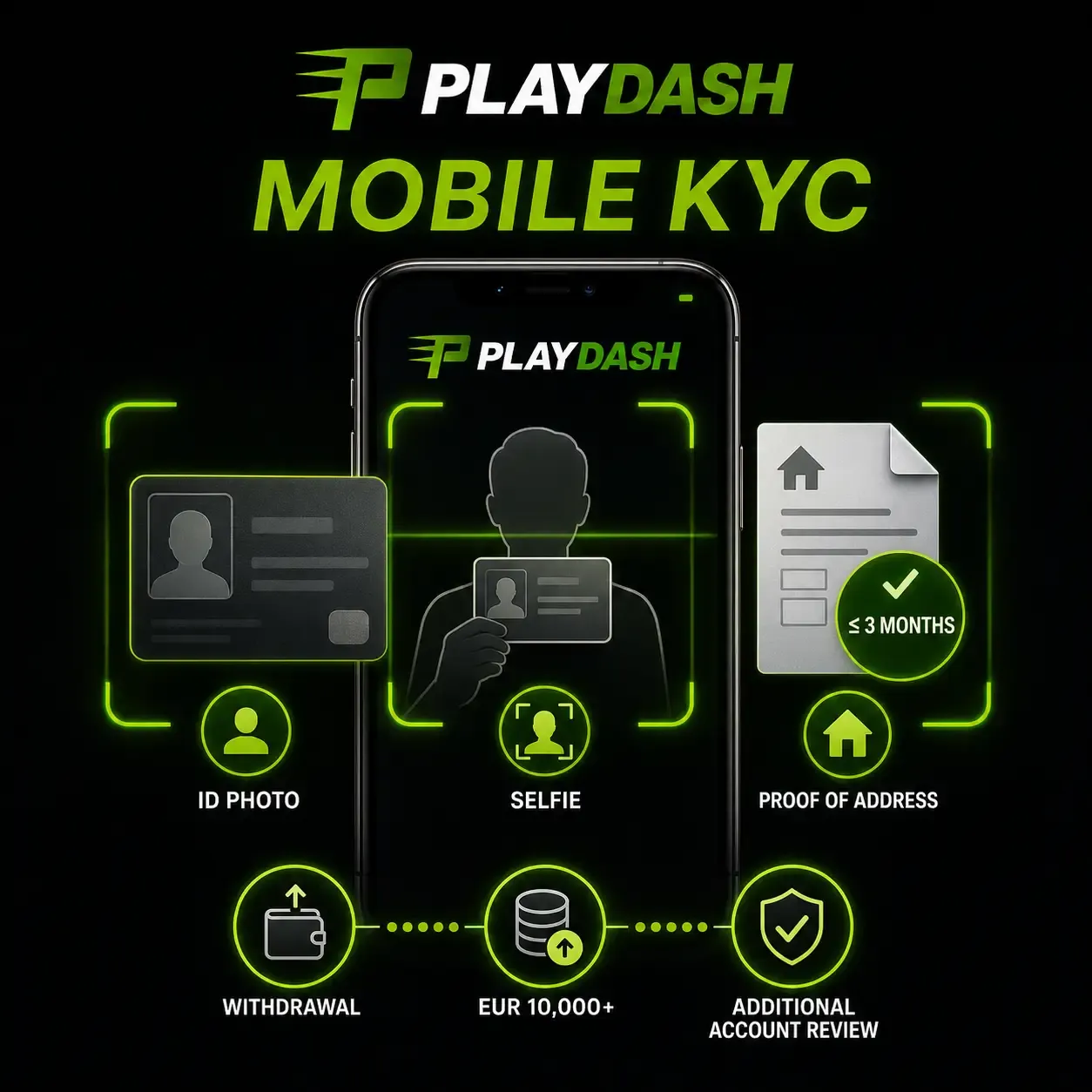
Logging in proves that you know the account's credentials. Verification, the Know Your Customer process, proves who the account holder is. It confirms identity, age, address and ownership of the payment method, and it supports controls against duplicate accounts. Documents are not required when you register or make a first deposit, so many players meet verification for the first time at the moment they want to withdraw. A pending verification does not stop you from signing in; it stops the actions that depend on it.
When verification is required
Singapore-facing PLAYDASH material lists three triggers for full verification:
- A withdrawal request. A withdrawal cannot proceed once verification becomes mandatory, and it becomes mandatory when a withdrawal is requested.
- Lifetime deposits above the equivalent of EUR 10,000.
- Suspicious activity detected on the account.
Location can also be checked during verification, which matters because PLAYDASH is not available in England, Scotland, Wales, Northern Ireland, Russia, India and the United States. Preparing documents before the first withdrawal is the simplest way to avoid waiting at that moment.
The documents
| Document | What it shows | Common reason it comes back |
|---|---|---|
| Valid government-issued photo ID | Identity and age | Expired, cropped or blurred; glare over details |
| Selfie holding the same ID | That the ID belongs to the person submitting it | Face or document not clearly visible |
| Bank statement or utility bill issued within three months | Address | Older than three months; name differs from the profile |
| Proof that the payment method is yours | Ownership of the payment route | Account in another person's name |
Files should be clear, current and consistent with the account profile. The name on every document should match the PLAYDASH profile and the payment account exactly.
Getting documents accepted the first time
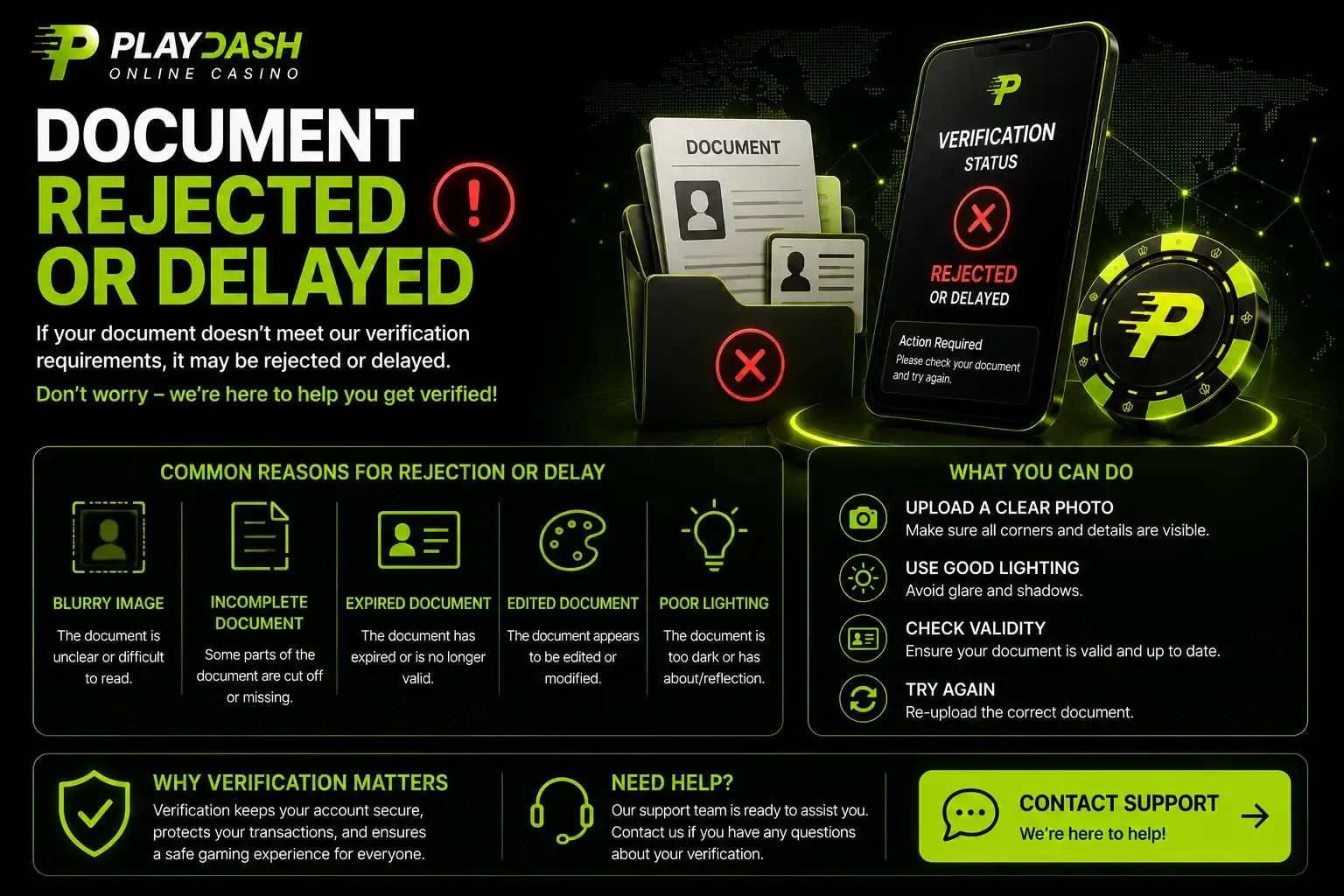
Most returned documents fail on quality, not identity. Photograph the whole document on a flat, dark surface with all four edges visible; use even light without glare or shadow; avoid filters, edits and screenshots of screenshots; check the expiry date; and make sure the address document is recent enough. A phone camera is enough for verification documents, and no separate app is needed. Upload through the official account or a confirmed support channel only; identity documents should never be sent to unofficial social-media pages or in reply to unexpected messages.
Approved, returned or checked again
After upload, verification ends in one of three outcomes. If approved, the actions that depended on it, such as a withdrawal, can proceed. If it fails, PLAYDASH issues a ticket number with a written explanation of what needs correcting; correct the documents and upload them again, and access proceeds once the corrected documents are accepted. And the account can be checked again later if one of the triggers recurs or additional review is needed. Keep the ticket number for any follow-up; it lets support find the case without repeating questions.
Restrictions you may see
| Restriction | Usual cause | What lifts it | Do not |
|---|---|---|---|
| Withdrawal held for verification | Verification is mandatory and incomplete | Approved documents | Open a new account |
| Account limited after failed verification | Documents returned with a ticket | Corrected documents accepted | Upload the same files again unchanged |
| Normal use paused after a bet recalculation | A negative balance | Depositing the missing amount | Keep retrying the login |
| Access secured after suspected compromise | Unfamiliar activity reported or detected | Support's security steps, password reset, contact change if needed | Share the password with anyone helping |
| Account closed or blocked during a break | Self-exclusion or cooling-off | The period ending, then the operator's decision on any return | Register again to get around it |
| Promotions withdrawn | Duplicate profiles linked by IP, device or payment method | Support review of the circumstances | Create further accounts |
| Account restricted by the operator | Signs of risk or a breach of terms | Conversation with support about limits | Treat it as a technical fault |
PLAYDASH material says operations confirmed with the correct credentials can be treated as authorised, the operator may restrict or close an account on signs of problem play or a breach, and after a self-exclusion any return is at the company's discretion following settlement rather than automatic.
Cashier review is not an account block
A withdrawal can also sit in review without any restriction on the account: additional anti-money-laundering checks, an active bonus with unfinished wagering, a name mismatch between profile and payment owner, or processing at the provider. You can still sign in, play and deposit while it is reviewed. Read the notification attached to the withdrawal, answer any request for information through official channels and keep the withdrawal reference. A pending status does not by itself mean a request has been refused.
Why a new account makes every restriction worse
Opening a second profile to get around verification, a restriction or a break conflicts with the one-player-one-account rule. Matching IP addresses, devices or payment methods can be treated as signs of duplicate profiles, which can remove bonus eligibility, and during a self-exclusion the creation of new accounts is blocked as a rule. A restriction is resolved on the original account through its cause, never by starting again.
Contacting support about a restriction
Include the registered phone number or email or account ID, the exact wording of the notification, any ticket number, the date and approximate time, and what you were trying to do when the restriction appeared. For verification, say which document was returned and attach the corrected file through the official channel. Never include a password, PIN or one-time code.
Frequently asked questions
Do I need to verify before I can play?
No. You can register, deposit and play before verification. It becomes mandatory when you request a withdrawal, or under the other listed triggers.
Why was my document rejected?
Usually because it was blurred, cropped, expired, edited, or the name did not match the profile. The ticket explains what to correct.
How old can my proof of address be?
A bank statement or utility bill issued within the last three months.
My balance is negative and the account is limited. Why?
A bet was recalculated. Depositing the missing amount restores normal use.
Can I open a new account while mine is restricted?
No. Duplicate accounts conflict with the one-account rule and can remove bonus eligibility.
My withdrawal is in review but nothing is restricted. Is that normal?
Yes. Cashier review can involve verification, bonus wagering or additional checks without restricting the account itself.
Resolving a restriction on the original account
Read the notification or ticket, match it to the table, and fix its cause: verify with clear documents in your own name, deposit a recalculation shortfall, follow the security steps after suspected misuse, or wait out a chosen break. Keep the ticket number and the original account. For sign-in failures that happen before any notice, see login problems; for a password or contact you no longer control, see account recovery; and the account help overview connects every symptom. If a break or limit was set for your own protection, the responsible gambling page explains how those controls work.